20 Sept 2025
I Build ClientEase to Simplify Client Onboarding
In today’s fast-paced business environment, onboarding new clients should be smooth, quick, and professional. Yet, most businesses still rely on scattered forms, email threads, or manual documentation to capture client details. This often leads to inefficiency, delays, and lost information.
To solve this challenge, I built ClientEase – a lightweight web application designed to make client onboarding effortless by collecting information through a simple form and instantly generating a professional PDF document.
Link to access the tool : ClientEase
Why I Built ClientEase
The inspiration for ClientEase came from a common frustration: whenever I met a new client, I had to manually collect their details, organize them, and later create a formatted document to store or share with my team. This process was repetitive and time-consuming. I wanted a tool that could:
Capture client information quickly.
Generate a clean, professional PDF instantly.
Eliminate the need for back-and-forth documentation.
That’s where ClientEase was born.
How ClientEase Works
The app is designed with simplicity and speed in mind. Here’s the workflow:
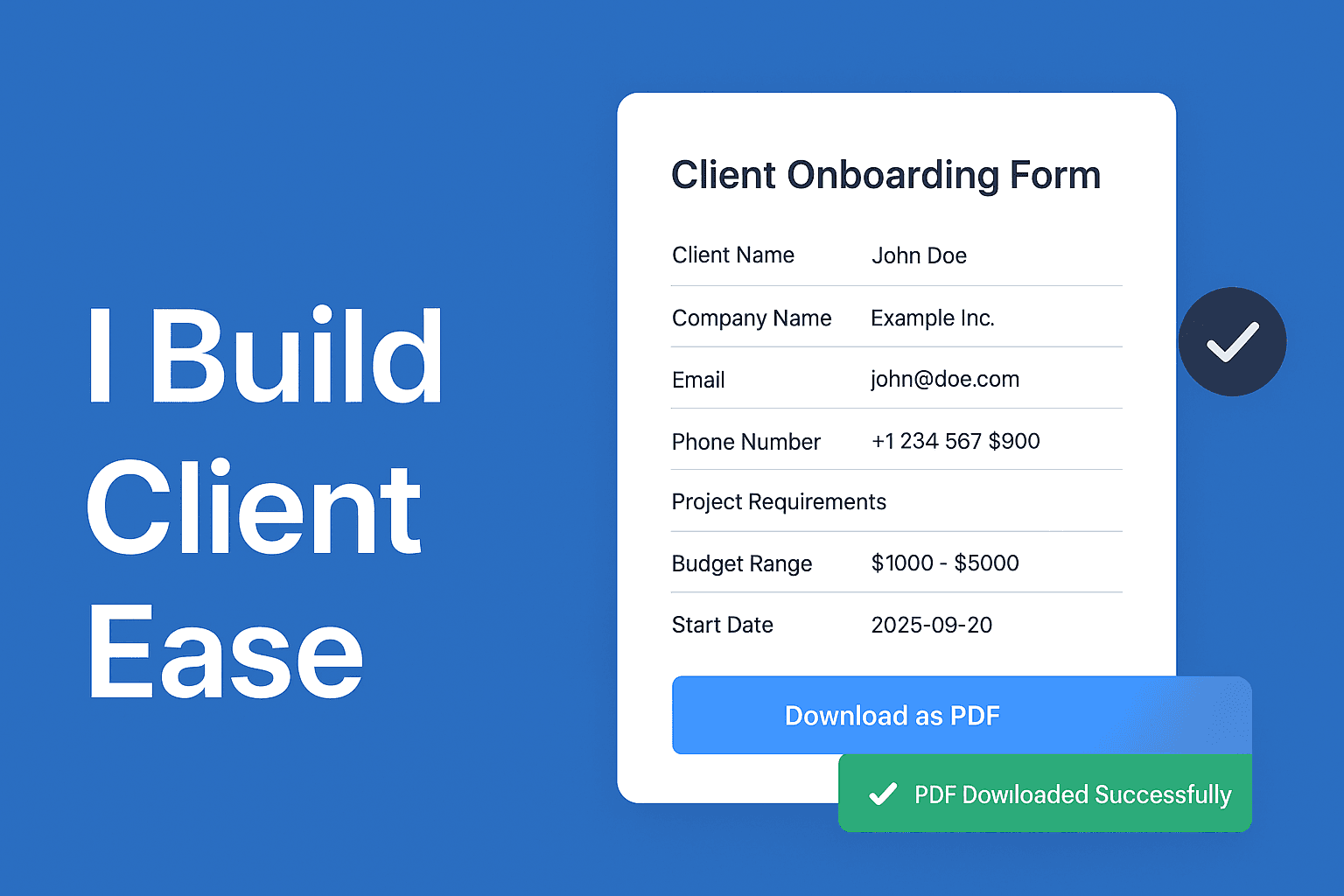
Client Information Form
Users start by filling out a form with essential details such as:Client Name
Company Name
Email
Phone Number
Project Requirements
Budget Range
Start Date
Preview Screen
Once submitted, the information is displayed in a clean preview card. This allows users to double-check and, if needed, go back and edit before finalizing.PDF Generation
With one click, ClientEase generates a polished PDF using jsPDF, complete with a title (Client Onboarding Form – ClientEase), bold labels, section dividers, and a professional layout. The file is automatically saved asClient-Onboarding-[ClientName].pdf.Success Feedback
After download, the app shows a success toast: “✅ PDF Downloaded Successfully”, giving users the confidence that their data is captured and stored properly.
Tech Stack Behind ClientEase
React for building a fast and responsive interface.
TailwindCSS for clean, minimal, and professional styling.
jsPDF for generating structured PDF files instantly.
This combination allowed me to build ClientEase quickly while ensuring it remains scalable and user-friendly.
Benefits for Businesses
ClientEase isn’t just another form app—it directly improves business workflows by:
Saving time with instant PDF creation.
Ensuring professional, consistent client documentation.
Reducing manual errors in client data capture.
Providing a tool that’s easy enough for anyone to use without training.
Use the above tool and provide the feedback at quasiteksolutions@gmail.com